
Drastically Improve Preview Text (Very Simple Fix)
This is SUCH an unbearably simple, easy, and game changing feature (I have no idea why it hasn't been implemented yet). This primarily relates to the iOS app, but the web app can use improvements too.
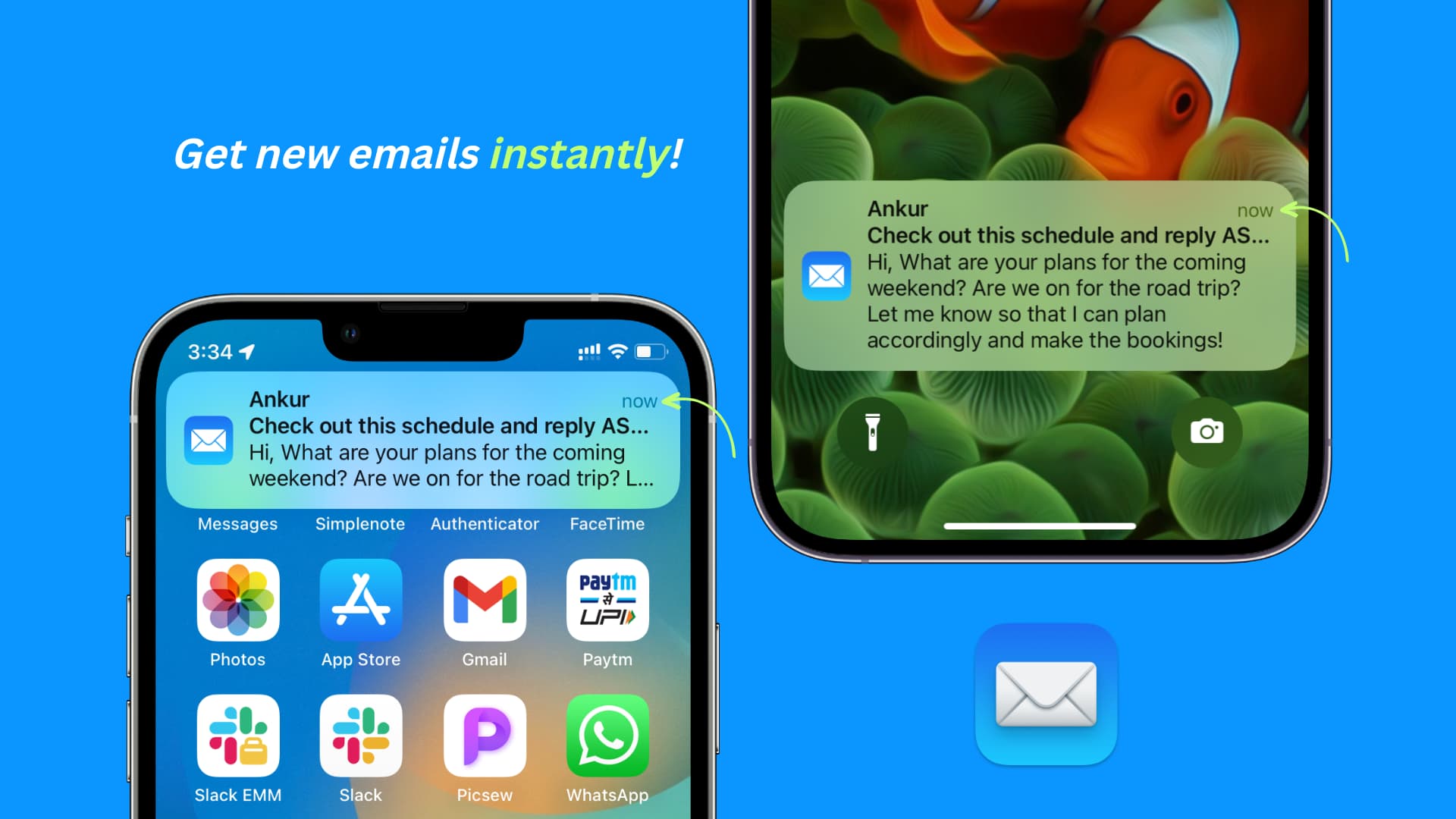
Please allow for multi-line previews! An optional 4 to 5 lines of preview text from the email would be great.
Why in the world would you forcefully limit notifications to an incredibly uninformative mere line or two?
You can't even read the content of emails at a glance because the default preview is so horrendously limited (and it looks ugly as **** in general and in comparison to other apps). And many, (if not most) users can't even plug their account into a 3rd party app that DOES allow larger email previews because of the Proton Bridge paywall + restriction.
It's a great quality of life improvement allowing users to actually see the content of emails at a glance, and in many cases get excited for the good news contained in those emails without having to open them yet.
It's JUST like how you/anyone would want to see a preview of what your best friend or loving partner said in a text. It's informative, time-saving, and a fantastic deliverer of good news.
The current situation (mostly a 1 line preview) is horribly inefficient and uninformative. It's like a clickbaity title where you're forced to click into the article or video EVERY SINGLE TIME because the sliver of info they give you in the title is entirely useless.
But it doesn't have to be that way. Please add an option setting to increase the line preview of emails in Proton.
Desktop:
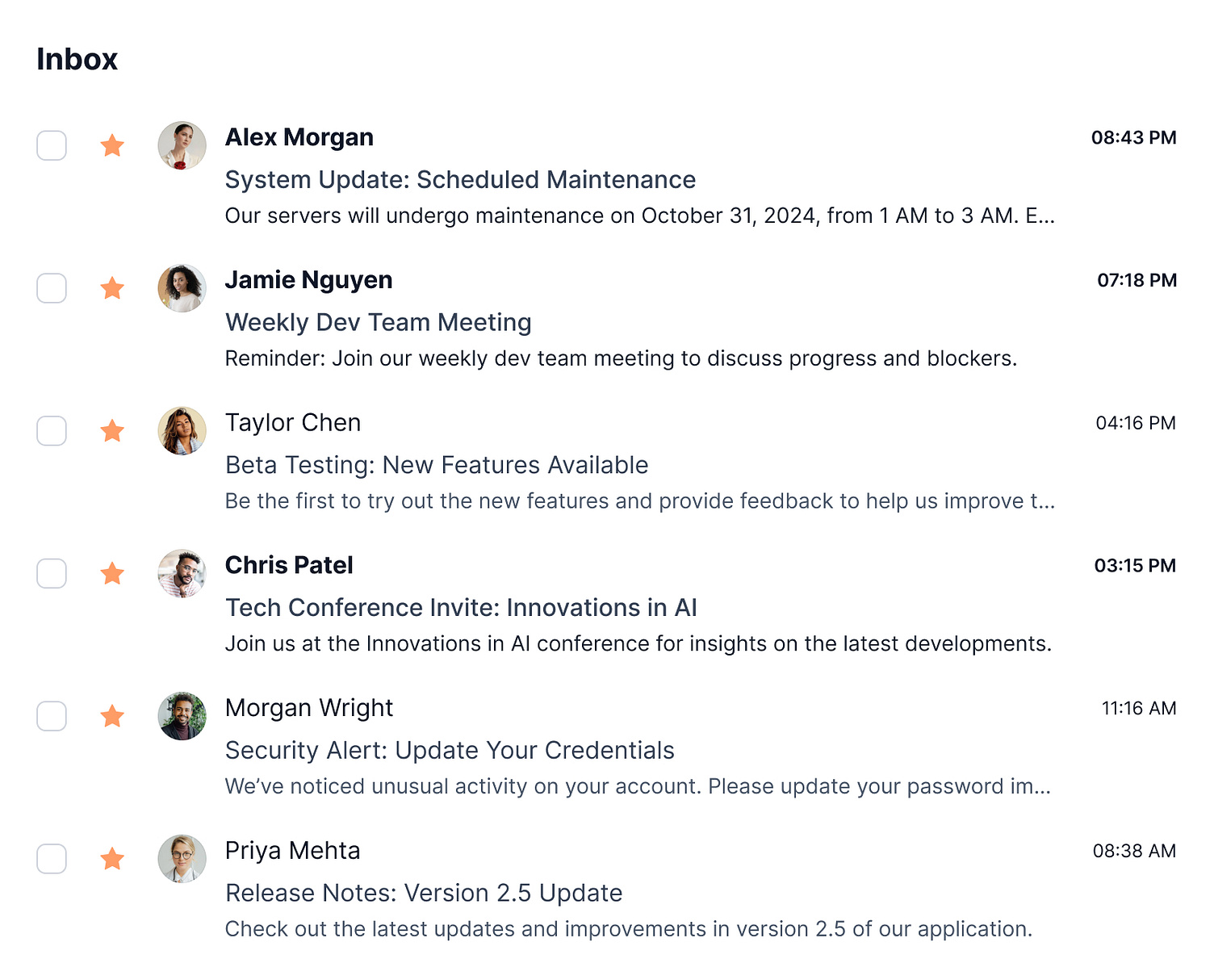
Additionally, on desktop the emails ONLY show the sender and subject line. They could EASILY be made more useful and informative by (optionally) including the body of text/content of the email after the subject line (like literally EVERY other email platform).
Proton mail is made to be so inefficient and time wasting with it's current state of hyper limited previews.
The current version of Proton is practically THIS useless and uninformative, telling you next to nothing: https://i.pinimg.com/736x/33/c2/a9/33c2a92933c35db8bd5f72f107ff2f61.jpg

Mobile example of the right/helpful way: https://media.idownloadblog.com/wp-content/uploads/2023/03/Get-new-emails-instantly-on-iPhone.jpg (The lockscreen example: notice how you can INSTANTLY see the important information at a glance and therefore respond accordingly, i.e. address it now or save it for later)
Desktop example: https://cdn.dribbble.com/userupload/17527141/file/original-5c6b164008e276669e337b2794c72b1d.jpg?resize=1504x1214&vertical=center
 Done Dee
shared this idea
Done Dee
shared this idea