
Differentiate between "Unread" and "Unseen"
Use case
Most of the time I don't read/open every single E-Mail that comes in, but rather postpone the unimportant ones to later, while opening the ones that have urgency.
Problem arises by the lack of differentiation; All the "old" unread E-Mails are bundled together with the new ones that came in, and it is a game of memory if it was "42" or "41" unread E-Mails the last time I checked.
Proposal
Make it obvious in the UI how many E-Mails are completely novel, and which are already seen, but not opened yet.
- Add a second counter to the Inbox-Panel on the left, e.g. "2 / 40". First number would be novel mails, second one all the seen but unread ones.
- Lessen the highlighting of mails that have already been seen in the past: They still should be highlighted, but lesser than the novel mails.
Mock / Example
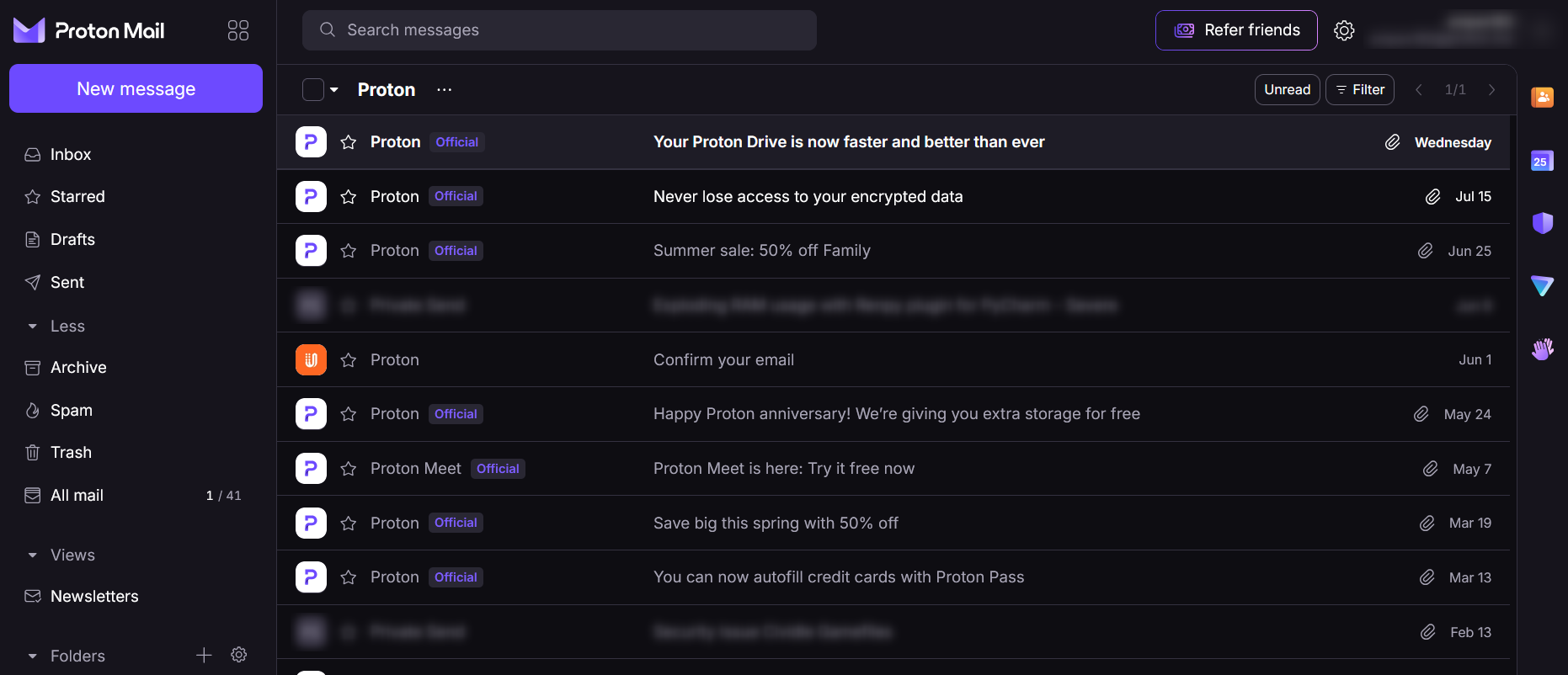
 Klabautermann
shared this idea
Klabautermann
shared this idea
-
Jack Taylor commented
The Proton Mail Calendar suggestion highlights the importance of clear status indicators that help users distinguish between unread and unseen messages, making digital interfaces easier to navigate. Similarly, XX555 Game focuses on improving accessibility through an updated website and a refreshed guide covering registration, login, available games, and withdrawals. Users interested in exploring its latest updates can visit https://xx555-game.com.pk/ for more information about the platform and its features.
-
BOBA BYLO commented
There’s quite a bit to compare when you’re looking at sweepstakes casinos, and the differences aren’t always obvious from the homepage. I found the reviews section on Sweepstakes Ranking useful for getting a broader picture https://sweepstakes-ranking.com/reviews. It covers different platforms, so you can look at things such as their games, promotions, payment options, and general requirements without researching every casino separately. I’d treat the reviews as a starting point and then double-check the current rules on the individual site, particularly when it comes to promotions or redeeming prizes.