
Proton Mail & Calendar
973 results found
-
Can you make Folder Filter Quantity & Modification possible?
While your automatic setup of folder filters is very nice, I now get "too many filters" if I try to add any. Also, there seems to be no place to find and eliminate filters that are no longer needed. In Thunderbird, though I have to set up filters, I can see which are present, where they are directed, and can modify or remove them. And so far, I've never hit a 'limit'. Some kind of similar arrangement would be nice. Side note: because of 'too many filters' I now have to 'move' email manually every time, so the filtering function…
2 votes -
keep data on PC or android locally for better, quicker search function
keep data LOCALLY on PC or Android for better, quicker search function. Search is massively important, especially with years of calendar items.
2 votes -
Remove secret-service requirement from Proton Mail Bridge (Linux)
Proton Mail Bridge for Linux's requirement for a secret-service adds complexity to the installation process. Even using the
passutility as suggested, GPG also needs to be installed and a GPG key generated to initialize the password store. Removing the secret service requirement would simplify the installation, reduce the 'weight' of the installation (number of steps and installed packages), and simplify what needs to be backed up. Storing the vault key is also a security hazard as it makes the data (credentials, email messages, etc.) recoverable for anyone with the home directory or a backup of the directory.Using a…
2 votes -
Migration/Forwarding more Provider options
Supporting more Provider (like GMX, Posteo or Mailbox.org) for import and/or forwarding in EasySwitch.
6 votes -
Let us set email expiry through fitlers without converting to sieve
I would like to use the filter UI to set an expiry time for emails. This would be equivalent to setting something like this in a sieve: expire "day" "7";
While this is already possible with sieves, sieves are complicated, and once you begin using a feature that is only available through sieves, you can only edit it as a sieve. The UI is much more intuitive and I'd love to see this feature exposed through the UI.
5 votes -
Request for Bulk Deletion/Management of "Imported" Events in Proton Calendar
I recently imported a calendar file from WebCal.Guru, which added a large number of entries (approximately a year’s worth) to my Proton Calendar. After realizing that I no longer need these entries, I tried to delete or move them in bulk but encountered the following issues:
- Identifying the Events:
- I can search for these events using a common string included in each entry: “This calendar is provided by WebCal.Guru.” - However, after listing them via search, Proton Calendar does not allow selecting or managing multiple events simultaneously.- Desired Action:
…- I would like to either delete or move all35 votes -
Setting: Automatic Outgoing Email Expiration Time
I would like the option to set a default expiration time for all outgoing emails.
While it's already possible to manually set an expiration date on individual messages, it's easy to forget to do so before sending. A global setting would allow users to automatically apply an expiration period (for example, one year) to every email they send.
Users who enable this feature could still adjust or disable the expiration time on a per-email basis when needed. This would provide a convenient privacy-focused default while maintaining flexibility for exceptions.
2 votes -
Support for custom Return-Path / Envelope-From in Proton SMTP
Currently, Proton SMTP requires the Return-Path (envelope sender) to match the authenticated sending address. This makes it impossible to use dedicated bounce addresses such as bounce@domain.com, which are required by many business applications, including Odoo, CRM systems, ticketing platforms, and newsletter tools.
Please add support for a custom Return-Path / envelope sender while still enforcing that the domain belongs to a verified Proton Mail domain. This would enable proper bounce processing, DMARC-compliant email workflows, and integration with common business software without requiring external SMTP relay services.
This feature would significantly improve Proton Mail's suitability as a business email platform.
2 votes -
Passwords for Password-protected emails selected by recipient
Currently when sending Password-protected emails to non-proton recipients the sender has to select the password, notify the recipient of the password, and manually record the password for future correspondence. It is tedious and has two major issues.
1. The first issue is if you want to send the message to multiple people they must both have the same password.
2. If a recipient receives password-protected emails from more than one protonmail senders, they would need to track and keep a log of passwords for each and every sender.
A solution would be to have the recipient select a password to…3 votes -
search bar - ios search
It would be great if the search icon/bar could be implemented at the bottom next to the write button and not at the top right corner, such as in the iOS system like in Mail, Settings, etc.
3 votes -
Enhanced filter and newsletter management
Someone already suggested dynamic filter creations and it's an amazing idea. I want to expand it and suggest something similar for newsletters.
The pop-up saying "This message is from a mailing list should include 3 actions, and after one is selected, the pop-up should never appear again for that newsletter:
- Accept
- Unsubscribe
- Filter (this prompts the user to select what to do with these emails like in the filter creation flow and automatically creates a filter for the newsletter)7 votes -
Move Multiple Messages Simultaneously
For better organisation it would be useful to be able to move multiple messages (in a single conversation) to another mailbox by selecting the "Move to" function in the highest message in that conversation.
Unless anyone can tell em otherwise this does not appear to be the case at present.
3 votes -
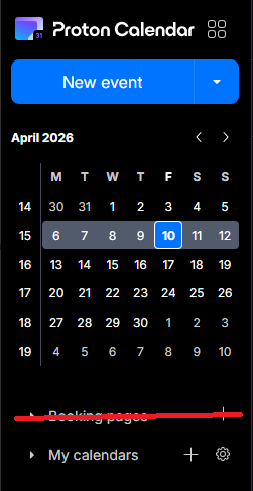
Booking Page - Disable feature altogether
The booking pages form a great feature for business users, but seeing as I use Proton as my personal account, I now have a permanent button to a feature that I don't use - and thus - have a cluttered calendar. I would prefer if I was able to disable the booking pages feature altogether, via the integrations settings, for example.
3 votes -
Option to disable email notifications when editing events with guests
Currently, editing any detail of an event with guests (even minor typos or description tweaks) forces an email update to all attendees. This creates unnecessary noise and inbox clutter.
Request: Add a checkbox in the edit dialog: "Send update to guests" (default: checked).
- If unchecked, save changes silently without emailing attendees.
- Essential for correcting typos or adding minor notes without spamming guests.
Why: Other calendar tools allow this granularity. Proton Calendar needs a way to distinguish between major changes (requiring notification) and minor edits.
Thank you,
Regards2 votes -
Waytime
Waytime - Please… add to the Time - Waytime like Apple or others do.
2 votes -
Auto-spam emails from unsubscribed lists
It'd be nice if it were possible to automatically flag as spam any email from a distribution list for which I used Proton Mail's "Unsubscribe" feature to remove myself from the list. The idea is that if the list owner is not going to honor unsubscribe requests, and since I already indicated that I do not want to receive those emails, then the emails from that list are spam and should be treated as such. An automatic method to take care of this would be handy.
2 votes -
Move calendar events
I know this is an option on the web version but on the IOS/mobile apps we NEED to be able to drag and drop events without having to open them and reselect the date or time. This is a critical feature for any functioning calendar app in my opinion.
8 votes -
incremental download
Allow email download to begin at a certain date and time. I back up my email every month. It's not really necessary to download the entire thing every time.
2 votes -
Inbox view - dislpay most recent label
The inbox view currently displays the top-most label in the hierarchy of labels if an email chain has more than one label. It should display the label assigned to the most recent email, the one actually displayed in the inbox view. The one relevant to the email entry right next to it. For example the most recently received email has a label L but previously there was a label A assigned to one of the past emails from the same sender. Label A is displayed incorrectly where a more recent and more accurate label L should be showing. Label A…
2 votes -
expand day+week view
When in week view, we should be able to view all the items (that have no time) we have. Now we see only 3 or 4 no matter how big the screen is. On the left where we see "GMT+1' there should be a drop down arrow to expand the top part of the screen and see all items on all 7 days. Now the focus is too much on the hours view of the days.
Now I have to click all the days where I see: '3 items more' and cant have oversight.
3 votes
- Don't see your idea?