
Proton Mail & Calendar
2236 results found
-
Seamless Custom Domain Integration Between Proton Mail, Proton Pass, and SimpleLogin
Hello Proton Team,
I would like to suggest an improvement regarding the integration between Proton Mail, Proton Pass, and SimpleLogin.
Currently, if a custom domain is configured in Proton Mail, it cannot also be used for aliases in SimpleLogin. This creates an unnecessary limitation within what is presented as a unified Proton ecosystem.
As a customer using multiple Proton services, I expected my verified custom domain to be available across all Proton products without requiring separate configurations or forcing me to choose between receiving email through Proton Mail or creating aliases through SimpleLogin.
Suggested Improvement
Once a domain has been…
5 votes -
Option to set a default startup folder (e.g., "All Mail") on the mobile app
I would like to request a setting in the mobile app that allows users to choose which folder opens by default when launching the app, rather than being forced to start in the main "Inbox."
My Use Case:
I heavily utilise Proton's filtering rules to sort emails from my various addresses into different custom folders. Because these filters route mail away from the main Inbox, my Inbox is often empty. To actually see my new mail, I have to manually navigate to the "All Mail" tab every single time I open the app.Adding a simple toggle in the settings…
5 votes -
Additional Options for Booking Page
Add to booking page:
- Buffer times before and after meetings to avoid back-to-back meetings
- Add maximum number of meetings per day, per week
- Allow adding more people to the appointment
- Ask booker's Time Zone. Currently the email that the person receives has in the subject the time in my time zone, which is not necessarily his/her time zone. This has already confused some of my clients and missed meetings. Even though it was correctly set in their calendar. The subject of the confirmation email has importance.5 votes -
Allow mail filter rules to supercede spam rules
Currently received emails still arrive in Spam, even if there is a rule to delete them. This results in a cluttered Spam box. And Spam is something you need to check every few days to see if important emails were miscategorized.
Add a checkbox to mail filter rule settings that says it supercedes spam priority to prevent this problem. Gmail correctly does the mail filter rule check BEFORE the spam check, so emails arrive in the right place always.
5 votes -
customizable toolbar over emails
customize which functions appear on the toolbar at the top of received emails in Proton Mail. I should be able to choose which tool is more important for my needs. You would think that the print option should be visible and a redo or undo too as well. Labels and filters should be secondary and hidden instead.
5 votes -
Enforce Username Privacy via Primary Email Address Lockdown
As a Proton mail user,
I want all incoming mail sent to my primary Proton username (email address) to automatically bounce back to the sender as "undeliverable" (as if the account does not exists), unless the email originates from an official Proton mail domain,
So that I an keep my primary account username entirely hidden and free of clutter, forcing all external correspondence (i.e. everything except for official Proton correspondence) to go through my managed aliases or Proton Pass aliases*I understand I can have something similar by creating a custom Sieve with reject or discard, but it is not…
5 votes -
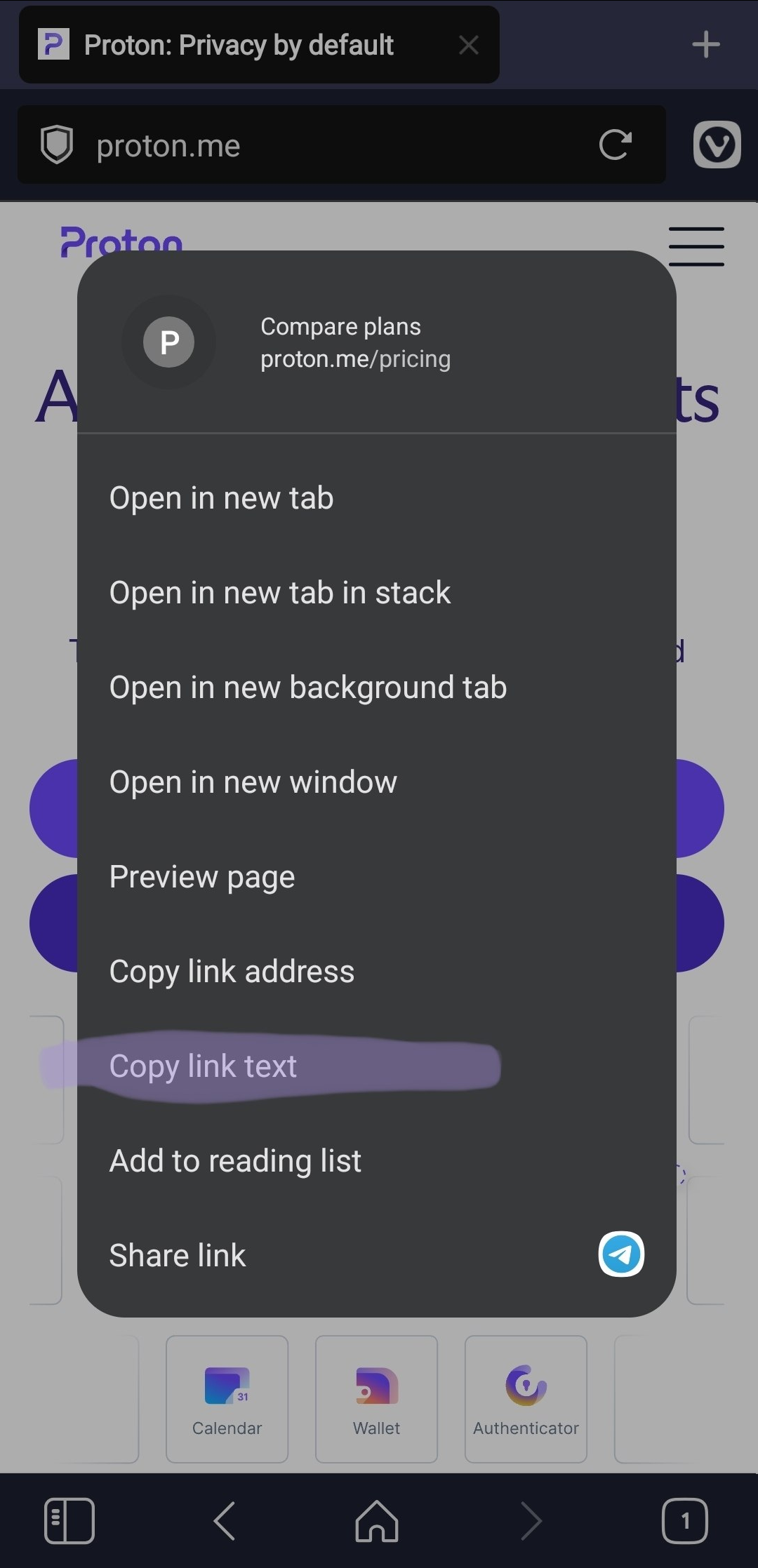
Add an option to copy link text
Add an option to copy the visible text of a link when right-clicking it.
This is useful because selecting anchor link is difficult or impossible.
Real behavior https://i.ibb.co/fV1YWBx8/image.png
Expected behavior https://i.ibb.co/qL6ZRHrT/image.png5 votes -
Bulk import/export of sieve filters
As a power-user I have extensive Sieve scripts that are split up into domains of functionality so that it is easier to manage and so that I can run smaller pieces of the larger filter set against my existing mailbox if that is necessary without it needing to run the whole filter.
I also keep them in version control and have a suite of tests that I run against them when making changes. When I'm done with implementing something new it is really frustrating to have to go to each one individually, copy the contents and paste them into the…
5 votes -
Option to remove mail counter in conversation view
The current view of emails in the inbox shows a small counter of emails in the conversation like this:
[5] subject of the message
Allthough it is sometimes interesting to know how much emails a conversation has, most of the time this counter is visually distracting and creating too much noise for me.
It would be best to have an option for deactivating the counter.
Thanks and keep up the good work!
Martin5 votes -
Add Proton Email and Calendar to n8n.io
Started AI course, all exercises connect to various calendars & email systems, but no Proton option, please add Email and Calendar to n8n.io so can include my Proton calendar / email rather than being forced to use GMAIL / GCAL etc.
5 votes -
Improve keyboard navigation in Mail Desktop Application
Improve keyboard navigation in Mail Desktop Application
Current behavior:
When using the Proton Mail desktop application in split view, selecting an email displays the message preview in the reading pane.
As a keyboard-oriented user, I expect pressing the Down Arrow key to move directly to the next email in the message list while keeping the preview pane synchronized with the selected message.
Instead, the focus appears to move into the preview pane. Pressing the Down Arrow key scrolls the content of the currently opened email rather than selecting the next email. This creates a confusing and inefficient workflow.
Expected behavior:
…
5 votes -
Proton Calendar - Allow users to have custom colours (=> using HEX or OKLCH or CMYK)
Same request by many other users, but I am still adding this post ... to show to Proton that WE, the users (paying or not), have enough of the poor selection of 20 more or less ugly colours Proton, and WE DEMAND to have what so many have been asking FOR YEARS now: customisation of the colours for our events/tasks;
It should not even be difficult from a coding point of view, using HEX or OKLCH or CMYK - in case you see HEX as a security issue - would allow to sync the changes over the different apps.
Can…
5 votes -
CHOOSE WHICH EMAIL ADDRESSESS ARE ABLE TO LOGIN
additional emails:
Please allow to choose which of the email addresses are usable to login to the account.
This way, the user can keep the login email totally secret, and the "public" ones impossible to try to use to login.
5 votes -
A setting to optionally include the "From" email address in the Inbox View
There should be a setting to optionally include the "From" email address in the Inbox View (in addition to the email Display Name, which is the default).
I feel that not having this as an option is a security vulnerability. Here is an example: a local company (vet, physical therapy, chiropractor, etc.) outsources various aspects of online client interaction (feedback surveys, OTP, appointment reminder, billing, etc.) to various 3rd party companies. As a result, I receive emails from 4-5 different companies that all use identical Display Names ("XYZ veterinarian"). I have gotten used to the idea that it's normal to…
5 votes -
Drag a calendar item to make it longer (not just move it from one time to another)
In Outlook and iCal, you can go to the bottom of an event and drag it down to extend the length of the event without opening it. It saves a lot of clicks when you know something is just going to go longer or it's a work-block you want to extend. Not a huge game changer but saves little clicks.
5 votes -
Allow for Adding Custom Proton Meet Links to a Calendar Events
It doesn't appear that users can edit a calendar event with a Proton Meet link that is not auto-generated. I am never the host for meetings and due to privacy concerns we do not share emails or send calendar invites. It would be nice to have the built-in Proton Meet Conferencing option support manually adding links.
5 votes -
signature template
Proton Workspace
I would welcome the addition of the ability to create signature templates for Proton Workspace.
- An organization user could choose a template and edit it with their own details.
- Even better — add a simple HTML editor for this (as a possible next step of the feature).
- Signature settings by an administrator are also missing. I can only set the Display Name.In a more developed version, user details could be pulled directly from account settings — each organization user would have information listed about themselves (name, job title, etc.). Those details could be automatically…
5 votes -
Multi window functionality in proton mail
I just want multiple windows of mail as an option in windows/linux. I want to have a calendar open in a window, windows with different mailboxes, and windows for writing emails so I can cross reference all of this data while working.
5 votes -
bookings offering multiple locations
i would like to have multiple locations for a single booking. right now, i have 5 different booking pages bc i have 5 different meeting locations.
5 votes -
zoom integration with bookings
i'm using "other location" for some of my booking pages right now, but it would be great to have zoom integrated into the booking settings. i am still using zoom bc proton meet doesn't have the same accessibility options.
5 votes
- Don't see your idea?