
Proton Mail & Calendar
- or
No existing idea results
- ~ No ideas found ~
2324 results found
-
No default address or variable default address
Currently, we are required to have a default email address. I have multiple email addresses in my account and use them for different purposes. But, when I open an email it automatically puts the default email address. If that is not the address I want to use, I have to change it. The problem is that it is easy to forget to change it and then I end up sending the email from the wrong address. I propose 2 solutions.
- Allow the user to have no default email. This would require the user to always pick an address when composing an email and avoid accidentally using the default address.
- I have my email segregated into different folders. So, all the emails coming or going from a particular address are in a single folder. When I am in that folder and I hit reply, it goes from the email address already used in that email. But, when I click on compose a new email, my brain expects it to know that I am in a particular alias email, but it just uses the default. Allow a way to set different default addresses for different folders.
Thanks
Currently, we are required to have a default email address. I have multiple email addresses in my account and use them for different purposes. But, when I open an email it automatically puts the default email address. If that is not the address I want to use, I have to change it. The problem is that it is easy to forget to change it and then I end up sending the email from the wrong address. I propose 2 solutions.
- Allow the user to have no default email. This would require the user to always pick an address when composing…
23 votes -
Feature Request: Auto-Delete Imported Gmail Emails to Save Proton Storage
Hello Proton Team,
I really like the idea of integrating Proton Mail with my Gmail account. It makes it much easier to centralize and manage emails while benefiting from Proton's privacy features.
However, I would love to see an option for automatic deletion of emails that are imported or synchronized into Proton Mail from Gmail after a configurable period of time. Currently, these messages continue to occupy storage space in my Proton account, which means I need to regularly log in and manually manage them to free up space.
Having a feature that automatically deletes synchronized Gmail messages (for example, after 7, 30, or 90 days) would make the integration much more practical, especially for users with limited storage plans. It would reduce maintenance efforts while still allowing users to benefit from the integration.
Thank you for considering this suggestion, and thank you for the great work on Proton products.
Best regards,
VictorHello Proton Team,
I really like the idea of integrating Proton Mail with my Gmail account. It makes it much easier to centralize and manage emails while benefiting from Proton's privacy features.
However, I would love to see an option for automatic deletion of emails that are imported or synchronized into Proton Mail from Gmail after a configurable period of time. Currently, these messages continue to occupy storage space in my Proton account, which means I need to regularly log in and manually manage them to free up space.
Having a feature that automatically deletes synchronized Gmail messages (for example,…
8 votes -
Booking Links - Ability for people to cancel or rebook without having to email & other features
This is a feature I am really struggling without after my move away from Google and thus Calendly.
When people book with me using my booking link and need to change/reschedule or cancel - they need to email me. In Calendly there's a link generated in the calendar event itself that people can use to cancel or reschedule without having to email me. As it stands now, people need to email me to do either.
Generally the booking link settings are super limiting. A few examples being: not being able to add buffers (I know there's an idea submitted here about that), not being able to embed the availability in my website to make it easier for potential clients to book time with me, and many other features
When people book with me using a Google account, for example, when they look at their calendar event they only see themeselves as the organizer and only guest.
This is a really big challenge for me. I am trying to figure out workarounds and want to stay with Proton but this is a big point of friction.
This is a feature I am really struggling without after my move away from Google and thus Calendly.
When people book with me using my booking link and need to change/reschedule or cancel - they need to email me. In Calendly there's a link generated in the calendar event itself that people can use to cancel or reschedule without having to email me. As it stands now, people need to email me to do either.
Generally the booking link settings are super limiting. A few examples being: not being able to add buffers (I know there's an idea submitted here…
8 votes -
Custom Categories in New Inbox Organizing
I really like the new categories in how it sorts the inbox and how you can change where messages wind up. Now I really want to be able to create my own categories, which is how I have used the folders feature in the past. Being able to make my own categories would be AMAZING. Please add this ASAP.
5 votes -
Push notification and read status auto sync across iOS, iPadOS and MacOS
Automatically synchronise email read status and push notifications between devices. If I read an email on my iPad, the badge and push notification for Proton Mail app should be automatically cleared on my other devices (Mac, iPhone and iPad). I shouldn’t have to manually clear the notifications and badges on each individual device. This is similar for the existing requests for “sync Android notifications properly” but I wanted to create a separate request specifically for Apple devices. Thank you.
16 votes -
Add "Mark All as Read" for Entire Mailbox (including imported emails)
Title: Add "Mark All as Read" for Entire Mailbox (including imported emails)
Description:
After importing from Gmail, I have 3000+ unread emails. The only way to mark
them as read is to go through 60+ pages of pagination (50 emails/page), which
is impractical.Feature Request:
- Add a "Mark all emails in folder/mailbox as read" button in the web UI
- Allow bulk operations via IMAP/API for programmatic access
- Consider applying this to all categories, not just folders -> This is very important, as my inbox is now a jumble of everything I had in the right gmail categories, quite annoying!Impact:
- Critical for users migrating from other email providers
- Existing feature request: https://protonmail.uservoice.com/... (reference if exists)Current Workaround:
Requires third-party Python script via Proton Bridge. Should be a native
feature in the web interface.Title: Add "Mark All as Read" for Entire Mailbox (including imported emails)
Description:
After importing from Gmail, I have 3000+ unread emails. The only way to mark
them as read is to go through 60+ pages of pagination (50 emails/page), which
is impractical.Feature Request:
- Add a "Mark all emails in folder/mailbox as read" button in the web UI
- Allow bulk operations via IMAP/API for programmatic access
- Consider applying this to all categories, not just folders -> This is very important, as my inbox is now a jumble of everything I had in the right gmail categories,…4 votes -
Differentiate between "Unread" and "Unseen"
Use case
Most of the time I don't read/open every single E-Mail that comes in, but rather postpone the unimportant ones to later, while opening the ones that have urgency.
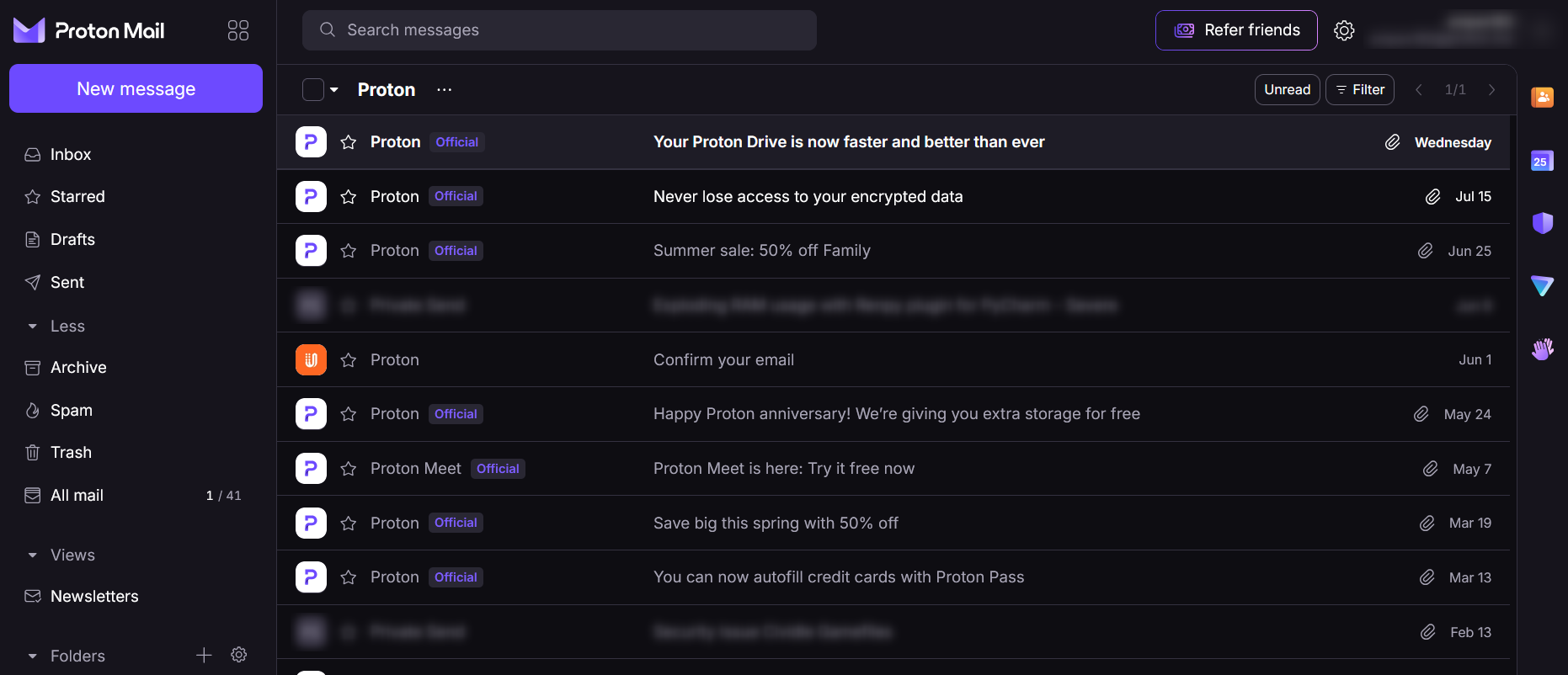
Problem arises by the lack of differentiation; All the "old" unread E-Mails are bundled together with the new ones that came in, and it is a game of memory if it was "42" or "41" unread E-Mails the last time I checked.
Proposal
Make it obvious in the UI how many E-Mails are completely novel, and which are already seen, but not opened yet.
- Add a second counter to the Inbox-Panel on the left, e.g. "2 / 40". First number would be novel mails, second one all the seen but unread ones.
- Lessen the highlighting of mails that have already been seen in the past: They still should be highlighted, but lesser than the novel mails.
Mock / Example
Use case
Most of the time I don't read/open every single E-Mail that comes in, but rather postpone the unimportant ones to later, while opening the ones that have urgency.
Problem arises by the lack of differentiation; All the "old" unread E-Mails are bundled together with the new ones that came in, and it is a game of memory if it was "42" or "41" unread E-Mails the last time I checked.
Proposal
Make it obvious in the UI how many E-Mails are completely novel, and which are already seen, but not opened yet.
- Add a second counter to the…
6 votes -
Calender events prior to 1970
It is currently only possible to enter calendar events prior to or going back no further than 1970. This makes it difficult to enter birthdates when you wish to track the actual age of the person as well as historical events.
Implement option to enter dates prior to 1970 in Proton Calendar.
9 votes -
Can we have a Cancel Appointment in the calendar instead of removing the entry
Can we have a Cancel Appointment in the calendar - displayed in a different colour so that a record can be kept, rather than removing the calendar entry
8 votes -
PLEASE create full API for writing events to Proton Calendar
PLEASE create full API for writing events to Proton Calendar
14 votes -
Mail Linux App (.deb/.rpm) thru apt/dnf just as VPN or flatpak, for auto-updates
Mail and Pass desktop clients for Linux already exist in .deb & .rpm. Could you please add this to the repo you already have for the VPN client (https://repo.protonvpn.com/) or make an official Flatpak release so that the update process can happen automatically?
This would be a nice improvement and reduce the friction with us Linux users6 votes -
Right-click context menu option to search all emails from the same sender
Gmail offers a simple right-click (or long-press) context menu on any email that includes an option like "Search mail from [sender@example.com]". This instantly filters the inbox to show all messages from that sender — no manual search query needed.
I'd love to see Proton Mail add the same UX pattern:
- Right-click any email in the message list
- A context menu option appears: "Show all emails from [sender]"
- Clicking it runs an automatic search filtered to that sender's addressThis is a huge quality-of-life improvement for power users who manage high-volume inboxes, hunt down subscriptions, or quickly audit communication with a specific contact. It saves multiple steps and makes Proton feel just as fluid as Gmail for everyday triage.
Thank you for considering this!
Gmail offers a simple right-click (or long-press) context menu on any email that includes an option like "Search mail from [sender@example.com]". This instantly filters the inbox to show all messages from that sender — no manual search query needed.
I'd love to see Proton Mail add the same UX pattern:
- Right-click any email in the message list
- A context menu option appears: "Show all emails from [sender]"
- Clicking it runs an automatic search filtered to that sender's addressThis is a huge quality-of-life improvement for power users who manage high-volume inboxes, hunt down subscriptions, or…
8 votes -
Folders-Indicate total unread email count for all subfolders within
So we don’t have to expand a folder to see whether there’s anything new
10 votes -
OOTO (Out Of The Office) notifications
Set an OOTO (Out Of The Office) notification that interfaces with the calendar to choose the start and end of the OOTO period.
5 votes -
Custom Calendar and Email Notification Sounds
We really need to have the ability to customize the sound of the notifications in both Proton Calendar and Proton Mail. There’s currently no options at all in the apps for iOS/iPadOS so we’re left with just a ‘ding’ that very easily gets missed. For these apps to be useful we need to be able to tailor notification sounds (customize the default sounds for each app, set custom sounds for specific contacts, set custom sounds per event and/or calendar, etc.). Thanks!
38 votes -
Archiving Calendars
Would be great to be able to archive (or hide) calendars that are not useful anymore, while still being able to consult information that was recorded.
For example, I had a calendar for my building's activities, meetings with other tenants, etc. but when I moved, it was not necessary for me to have that calendar in the side bar list (unticked, of course). Would be great to be able to hide this calendar from the list, and still be able to consult when needed.
8 votes -
pop out draft message as a separate window
In the desktop ProtonMail app for Mac, which includes mail and calendar as different tabs/views, I really need the ability to pop out a draft message as a separate window while I am composing it. I often receive messages asking me to list my availability for a meeting. In Outlook, I am able to pop out the message so I can look at my calendar while drafting the message. In the ProtonMail desktop app, the draft is stuck in the mail view, so I need to remember or write down information somewhere else after looking my calendar.
55 votes -
Pinned emails in Inbox Feature!
I see this feature request has periodically been posted all the way back to 2015. I am reposting as a brand new user migrating from Outlook. This was an Outlook feature I used every day, multiple times a day. I pin current bills and other important emails to the top of the Inbox so I do not overlook them or forget to check a folder or search for stars. By far, this would be one of the most useful and important upgrades there could be to Proton Mail. Happy to provide more details if needed. Thanks so much! PS- stars and folders serve different purposes to me and do not fulfill the "pinned email" need. Thanks.
I see this feature request has periodically been posted all the way back to 2015. I am reposting as a brand new user migrating from Outlook. This was an Outlook feature I used every day, multiple times a day. I pin current bills and other important emails to the top of the Inbox so I do not overlook them or forget to check a folder or search for stars. By far, this would be one of the most useful and important upgrades there could be to Proton Mail. Happy to provide more details if needed. Thanks so much! PS- stars…
5 votes -
Auto-Reply for Individual Addresses
Proton Mail currently only supports a single global auto-reply. Users with multiple addresses or aliases have no way to set individual auto-responses per address.
Proposed improvement: Allow users to configure auto-reply settings independently for each email address/alias on their account.
Each address should have its own:
Custom message text — so replies match the context of that address (e.g. professional tone for a work address, casual for personal)
Schedule (date range) — to enable auto-replies only during specific periods, independently per address
Sender filter — choose whether all senders or only known contacts trigger the auto-reply
On/off toggle — quickly enable or disable the auto-reply per address without deleting the configuration
Why this matters: Many Proton Mail users rely on multiple addresses to separate different areas of their life (work, personal, projects, volunteering, etc.). A global auto-reply doesn't reflect this — it either leaks context across addresses or forces users to choose which address gets an auto-reply. Per-address control would make Proton Mail's auto-reply feature truly usable for multi-address setups.Proton Mail currently only supports a single global auto-reply. Users with multiple addresses or aliases have no way to set individual auto-responses per address.
Proposed improvement: Allow users to configure auto-reply settings independently for each email address/alias on their account.
Each address should have its own:
Custom message text — so replies match the context of that address (e.g. professional tone for a work address, casual for personal)
Schedule (date range) — to enable auto-replies only during specific periods, independently per address
Sender filter — choose whether all senders or only known contacts trigger the auto-reply
On/off toggle — quickly…13 votes -
Download attachment from the email list view
Arrow that will appear and allow to download attachment as file directly from the list without the need to open email and scroll down. Useful when for example downloading invoices from a bunch of incoming emails.
7 votes
- Don't see your idea?